Courses
Notes
To create a note, you can select any text on the page and you'll see a popover:
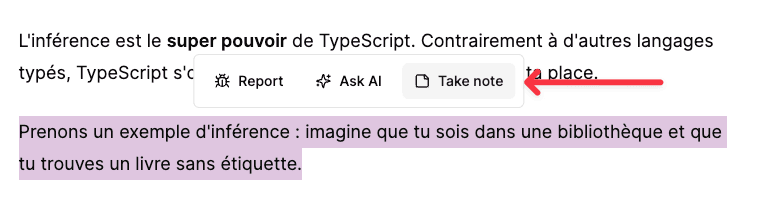
Then you can choose Take note and a dialog will open:
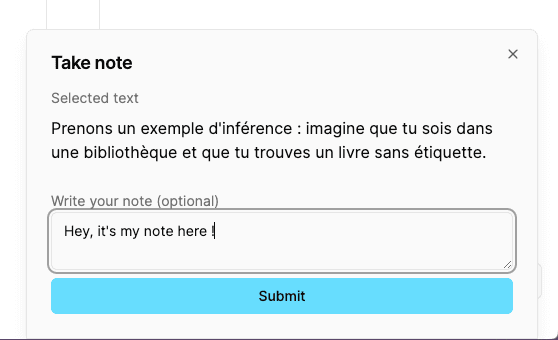
You can write any note here.
All your notes about the current course can be found in the right sidebar under the Notes section.
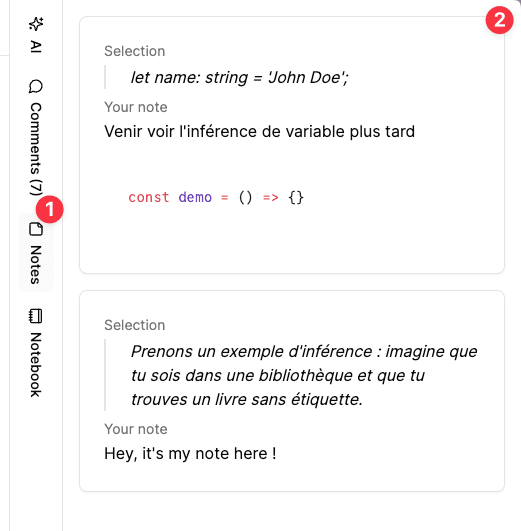
Why create a note?
You can create a note to remind you of important information. On the course's page, you will find a top menu with a Notes section that shows your notes for every lesson.